Beta · v0.2.0 · Windows

AI gives you a smart employee.
Rubik gives you an entire company.

Local-first AI orchestration platform. Memory, quality control, conversational approval, self-improvement, and multi-provider support — built on top of any AI model.
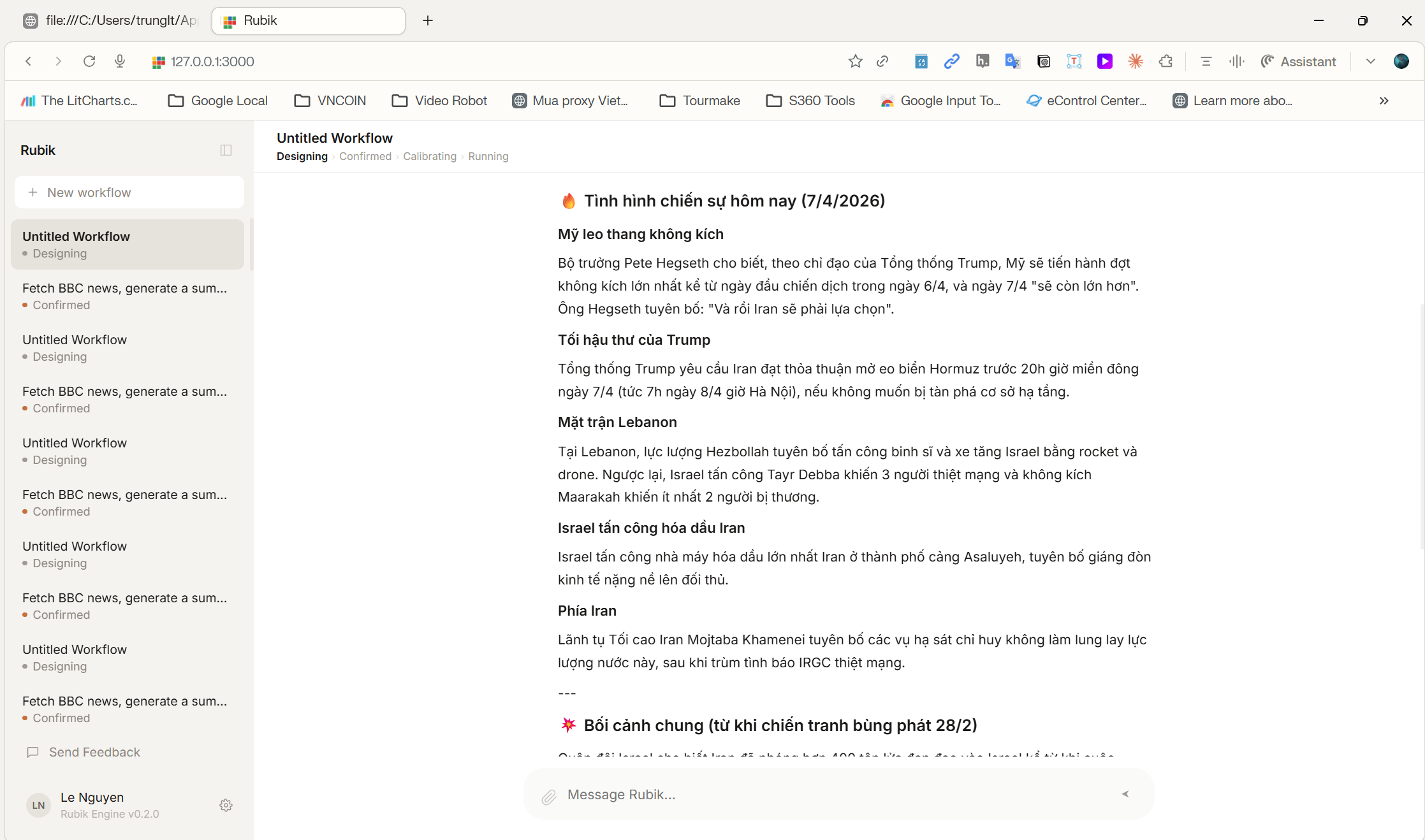
Rubik Engine chat interface

What is Rubik Engine?

Most AI tools give you a chatbot. Rubik gives you an engine — one that remembers, checks its work, and improves over time.

Local-first AI orchestration

Runs entirely on your machine. No cloud dependency, no data sent to third parties beyond your chosen AI provider. Your conversations, memory, and workflows stay local.

Structured reasoning, not just prompting

The Orchestrator applies a 9-step Thinking Methodology to complex problems — Framing, Decomposition, Generation, and Evaluation — not just a single prompt. It thinks before it answers.

Automate real workflows, not toy demos

Describe any repeatable task in plain language — email digests, market reports, data processing, multi-step research — and Rubik designs and executes a pipeline, complete with quality checks and delivery.

Gets better over time

The Intelligence Loop (P-06 through P-09) observes every execution, detects patterns and SLO breaches, and proposes improvements. Safe parameter adjustments apply automatically; bigger changes require your approval.

Everything the engine does

Six systems that make AI reliable enough to run real operations.

Multi-provider

Anthropic Claude (primary), Google Gemini, and DeepSeek supported. Add any conforming provider via a JSON config entry — zero code changes required.

3-Scope Memory (V9)

Working Memory (conversation), Mind Map (cross-session patterns), Long-Term Memory (consolidated knowledge with decay). Persists context across sessions.

Quality Engine (P-05)

Deterministic checks plus optional LLM evaluation on every response. Automatic retry on failure. Catches empty outputs, error leaks, and language mismatches before delivery.

Intelligence Loop (P-07–P-09)

Scheduler → Analysis → Improvement. Detects 4 insight patterns and monitors 6 SLO targets. Safe changes auto-apply; others surface for human review. Master instructions are BB-4 protected.

Encrypted local storage

AES-256-GCM field-level encryption for all stored memory data. Key management via environment variable with rotation API. Tamper detection on encrypted fields.

Skill hot-reload (P-10)

Modify skill files on disk and they reload in the running engine within seconds — no restart needed. File-watcher + debounce + version retention so nothing breaks mid-execution.

Getting started

Install the desktop app and start automating in under five minutes.

STEP 01

Download the installer

Windows installer (.exe). One-click install — backend starts automatically inside the Electron wrapper.

STEP 02

Add your API key

Open the app, go to Settings → Providers, and paste your Anthropic API key. Gemini and DeepSeek are optional.

STEP 03

Describe a task

Type what you want to automate in plain language. Rubik designs a pipeline, runs it, and checks the output quality.

STEP 04

Run & iterate

Approve, run, or refine. The engine remembers your preferences and improves automatically over time.

For developers

Open architecture. Extend Rubik with skills and plugins using declarative config — no framework lock-in.

Plugin architecture

The PluginRegistry exposes domain-specific tools (email, Telegram, webhooks, file I/O, OCR) as ToolDefinitions. The Orchestrator selects which plugin to call based on task — no routing code needed.

Read the architecture docs →

Add a new AI provider

Declare any conforming provider in providers.json with its API format, model, and capabilities. Set the env var. Restart. No code changes required for providers that fit existing dispatchers.

Adding a provider →

Quick setup

# Clone and run (dev mode)
git clone https://github.com/thanhtrungyh/Rubik-engine.git
cd Rubik-engine

# Backend (terminal 1)
npm install && npm run build && npm start

# Frontend (terminal 2)
cd user-app && npm install && npm start